Learn how to move your existing workloads between multiple IBM Cloud Pak Systems using 2.3.3.3 Interim Fix 1

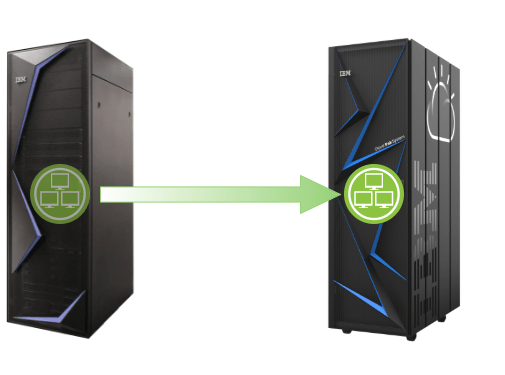
Earlier this year myself and @hendrikvanrun had the opportunity to work on the new Workload Mobility feature with vaigadge@in.ibm.com and rahulnema@in.ibm.com from the IBM Cloud Pak System development team. As per the blog post What’s new in IBM Cloud Pak System 2.3.3.3 Interim Fix 1, this feature is now available for all IBM Cloud Pak System clients.

We just published the IBM developer tutorial “Move your existing workloads between multiple IBM Cloud Pak Systems”. It explains how this feature works and takes you through the pre-requisites. We also described a number of scenarios where we believe this feature would be of use. And finally, of course we included step-by-step instructions to help you perform the move of your first Virtual System Instance.

Let us know what you think!

Upgrading to NSS 3.53 on RHEL 7 may cause an issue on IBM Cloud Pak System

Most clients running Red Hat Enterprise Linux (RHEL) 7 on IBM Cloud Pak System chose to apply security updates from Red Hat on a regular basis. This is typically done using Red Hat Satellite Server, which can be integrated with RHEL 7 VMs on IBM Cloud Pak System using the Red Hat Satellite Service.

While working with a client recently, we found that updating the NSS packages of RHEL 7 VMs from 3.44.x to 3.53.1 could be problematic. After rebooting the RHEL 7 operating system, some corresponding Virtual System Instance in IBM Cloud Pak System remained in “Launching” state (it never reached the expected “Running” state).

The good news is that IBM and Red Hat support have collaborated on this issue and published this IBM Support document. The underlying cause of this issue is described in Red Hat Bugzilla – Bug 1909261. Specifically, we found this issue to be present in the NSS packages version 3.53.1-3.el7_9. This is the latest version available from Red Hat, which was released on 11/12 March 2021:

Red Hat is planning to include the fix for this issue in the next release of the NSS packages shortly. However in the interim, Red Hat has made a hot fix available that can be applied today.

So in summary, should you encounter this issue you have the following two choices:

  1. Open a support ticket with IBM, point to the IBM Support document and request the hot-fix for your RHEL 7 VMs.
  2. Remain on NSS version 3.44.0 – or downgrade to that version if you already upgraded to version 3.53 – and wait until Red Hat has released a new version of the NSS packages that include the hot-fix

Note that (1) could be desirable from a security point of view. As per the RHSA-2020:4076 – Security Advisory, the upgrade to NSS version 3.53 addresses a number of security vulnerabilities (CVEs).

What’s new in IBM Cloud Pak System 2.3.3.3 Interim Fix 1

Today IBM released IBM Cloud Pak System 2.3.3.3 Interim Fix 1. While the version of this release might be misleading, this is a new firmware release.

The section “New features and changes in 2.3.3.3 Interim Fix 1” of the “What’s new” page of the IBM Documentation of IBM Cloud Pak System 2.3.3 provides a good summary of the new capabilities. This is the first release supporting “Workload Mobility”, which allows for deployed Virtual System Instances to be moved (live) from one IBM Cloud Pak System appliance to another one. This release also includes updated versions of several IBM Cloud Pak System Accelerators.

You can find details about the APARs and CVEs addressed by the IBM Cloud Pak System 2.3.3.0 release here. Note that this link can easily be found in the IBM Support document “Related information for IBM Cloud Pak System releases”.

It it is worth mentioing here that IBM has deprecated IBM Cloud Pak System Software, however an end-of-support date has not been confirmed yet. Note that this does not impact IBM Cloud Pak System clients, the deprecation here only applies to IBM Cloud Pak System Software installations that are not running on the IBM Cloud Pak System appliance.

Finally, please note that this release is available for IBM Cloud Pak System W3500, W3550 and W4600 (Intel x86-64) models, as well as for IBM PureApplication System W2500 (Intel x86-64) model (however the W2500 will reach end-of-support on 30 September 2021). This release is not available for the IBM Cloud Pak System W3700 (POWER) model, nor for the IBM PureApplication System W2700 (POWER) model.

IBM Cloud Pak System 2.3.3 introduces support for VMware Side-Channel-Aware Scheduler v2

About two years ago, IBM PureApplication System 2.2.6.0 and IBM Cloud Pak System 2.3.0.0 provided mitigation against CVE-2018-3646, CVE-2018-3620 of the built-in VMware 6.5 stack (see Impact of HyperThreadingMitigation introduced in IBM PureApplication System 2.2.6.0 or IBM Cloud Pak System 2.3.0.0). The mitigation provided by IBM here was to enable the Side-Channel-Aware Scheduler (SCA) v1 by default in the VMware ESX hypervisor. For those clients who insisted and accepted the security risks, IBM also provided an option to leave SCAv1 disabled (allowing for higher performance).

IBM Cloud Pak System 2.3.3.0 and higher are running on VMware 6.7, which provides support for Side-Channel-Aware Scheduler v2. So I was curious whether IBM Cloud Pak System would provide an option to enable SCAv2, as it provides a compromise between security and performance that could be attractive to some clients.

I had a look at the IBM Support document Considerations on impact of HyperThreadingMitigation security introduced on Intel systems in IBM PureApplication System V2.2.6.0 and IBM Cloud Pak System V2.3.x.x, and noticed that from 2.3.3.0 onwards IBM Cloud Pak System provides an option to enable SCAv2. Note that the default in IBM Cloud Pak System remains SCAv1 (the most secure option).

IBM Cloud Pak System versionDefault SCA configurationAlternative SCA configuration
< 2.2.6DisabledN/A
2.2.6SCAv1Disabled
2.3.0SCAv1Disabled
2.3.1SCAv1Disabled
2.3.2SCAv1Disabled
2.3.3 and higherSCAv1SCAv2
IBM Cloud Pak System firmware version and SCA configuration options

VMware has a lot of material to help clients understand the security and performance implications of SCAv1 vs SCAv2. I would recommend reviewing the VMware document Implementing Hypervisor-Specific Mitigations for Microarchitectural Data Sampling (MDS) Vulnerabilities (CVE-2018-12126, CVE-2018-12127, CVE-2018-12130, and CVE-2019-11091) in vSphere (67577) to learn more about that. The diagram below provides a nice visual summary of the trade-offs between the two.

Simple comparison between SCAv1 and SCAv2 from VMware

Deploying a stretched OpenShift 4 cluster across multiple IBM Cloud Pak Systems

IBM released IBM Cloud Pak System 2.3.3.3 on 31 December 2020, as detailed in the Related information for IBM Cloud Pak System releases IBM Support documentation. This release also includes a Tech Preview to deploy a stretched OpenShift 4 cluster across multiple IBM Cloud Pak Systems. This is something several clients have been asking for this, as it unlocks a number of scenarios to increase the resilience of an OpenShift cluster.

Together with my colleagues Hugh Hockett and Chris Liebl, I have just published the IBM Developer tutorial Deploying a stretched OpenShift 4 cluster across multiple IBM Cloud Pak Systems. It explains how to enable the Tech Preview in IBM Cloud Pak System 2.3.3.3, describes the scenarios and takes you through a step-by-step process to deploy a stretched OpenShift cluster.

How to upgrade your OpenShift cluster on IBM Cloud Pak System without internet connection

Several IBM Cloud Pak System clients do not have their systems connected to the internet. Security requirements sometimes simply prevent them from doing so. Sometimes exceptions have been put in place for Red Hat Satellite Server and IBM Service and Support Manager, often for specific source IP addresses and through a proxy. But workloads like IBM WebSphere, IBM Liberty, IBM Db2 or IBM Spectrum Scale can be deployed and upgraded without the need for internet access.

IBM Cloud Pak System Accelerators provide built-in support for deploying IBM Cloud Paks and Red Hat OpenShift Container Platform. Several tutorials and best practices were posted about that on this blog, refer to What are IBM Cloud Pak System accelerators and why are they important? for more details.

But how can best upgrade an existing OpenShift cluster on IBM Cloud Pak System to another version? The IBM developer recipe “OpenShift Container Platform upgrade on IBM Cloud Pak System in a disconnected environment” that was just published by @hinasharma16 is of great help here. It includes a step-by-step process on how to upgrade an OpenShift 4.4.6 cluster to 4.6.4, and assumes you have no direct internet connection from your OpenShift cluster. Below is a brief summary of what you need, the article will go over this in more detail.

  • IBM Cloud Pak System 2.3.3.0 or higher
  • OpenShift 4.4.6 Accelerator
  • Deployed OpenShift 4.4.6 cluster

This IBM developer recipe also provides a troubleshooting guide to help you resolve some of the more common issues you might encounter.

Note: @hinasharma16 also published the IBM developer recipe on Medium here.

The new IBM Cloud Pak System W4600 appliance

IBM Cloud Pak System W4600

IBM announced the IBM Cloud Pak System W4600 Commercial for VMware appliance on Tue 6th October 2020. This is a brand new x86-64 appliance model, succeeding the IBM Cloud Pak System W3500 and W3550 models.

If you are curious about the technical specifications of this model, have a look at the IBM Developer article “A tour of the hardware in IBM Cloud Pak System: The fourth generation” that I just published with my IBM colleague Joe Wigglesworth.

The article describes the new hardware components, lists the options available when ordering and details how additional compute and storage capacity can be added later. It also includes a comparison matrix, so you can easily compare the W4600 to earlier generations including the W2500, W3500, and W3550 models.

IBM Cloud Pak System 2.3.3.0 accelerator blog posts

The blog post “What’s new in IBM Cloud Pak System 2.3.3.0” provides a quick overview of this new release. This release includes support for a new set of IBM Cloud Pak System accelerators, as detailed in the What is new page of the IBM Cloud Pak System accelerators Knowledge Center. To familiarize yourself with these accelerators, please refer to the blog post “What are IBM Cloud Pak System accelerators and why are they important?”.

Earlier this year, IBM published its IBM Cloud Pak System blog list page with links to a lot of material that IBM Cloud Pak System users should be familiar with. It includes IBM developer recipes, IBM developer articles, a link to this IBM Cloud Pak System blog and more.

The IBM Cloud Pak System blog list has just been updated with new IBM developer recipes for the new IBM Cloud Pak System accelerators released with the IBM Cloud Pak System 2.3.3.0 release. These recipes – or tutorials – cover all the necessary pre-requisites and step-by-step instructions to deploy an accelerator by using the new IBM Cloud Pak System 2.3.3.0 user interface. They also cover various “day 2” operations that can be performed through the IBM Cloud Pak System user interface. Screenshots have been included to make it easy to use these recipes.

What’s new in IBM Cloud Pak System 2.3.3.0

Last Friday IBM released IBM Cloud Pak System 2.3.3.0. This is a very exciting and significant release, complemented by a new release of the IBM Cloud Pak System Accelerators. Not familiar with IBM Cloud Pak System Accelerators? Take a quick look at this blog post!

Before we dive into the details, it is worth highlighting that IBM has deprecated a couple of features in this release. While IBM will continue to support those, you should avoid using these for new implementations:

  • Hosted VMware environments (sometimes referred to as Virtual Manager Cloud Groups)
  • Classic Virtual System Patterns (Virtual System Patterns remain supported)
  • OpenShift Container Platform V3.11 Virtual System Patterns

The “What’s new” section of the Knowledge Center provides a nice summary of the new features and capabilities. A new IBM Cloud Pak System user interface is now available, which was only available as Tech Preview in the 2.3.2.0 release. You will also notice that a significant number of updates to internal components on the Platform System Manager nodes are included.

As mentioned earlier, a new IBM Cloud Pak® System accelerator version has also been released. Examine the “What’s new” section of the IBM Cloud Pak® System accelerators Knowledge Center for more details. Please refer to the Supported accelerator matrix to determine what version of IBM Cloud Pak System is required for any of the accelerators.

You can find details about the APARs and CVEs addressed by the IBM Cloud Pak System 2.3.3.0 release here. Note that this link can easily be found in the IBM Support document “Related information for IBM Cloud Pak System releases”.

Finally, please note that this release is only available for W2500, W3500 and W3550 (Intel x86-64) models. It is not available for W2700 and W3700 (POWER) models.
What are IBM Cloud Pak System accelerators and why are they important?

IBM recently released IBM Cloud Pak® System accelerators, a set of tools that automate the deployment and management of IBM Cloud Paks®, as well as Red Hat OpenShift Container Platform and IBM Edge Application Manager on IBM Cloud Pak® System.

This is a very important release as it effectively de-couples support for the latest versions of the aforementioned software from the underlying firmware release of IBM Cloud Pak® System itself.

Please refer to this matrix to confirm what version of the IBM Cloud Paks®, Red Hat OpenShift Container Platform and IBM Edge Application Manager are supported. Note that your IBM Cloud Pak® System must be at 2.3.2.0 firmware.

Design a site like this with WordPress.com
Get started